



































- June 29, 2026
- Uncategorized
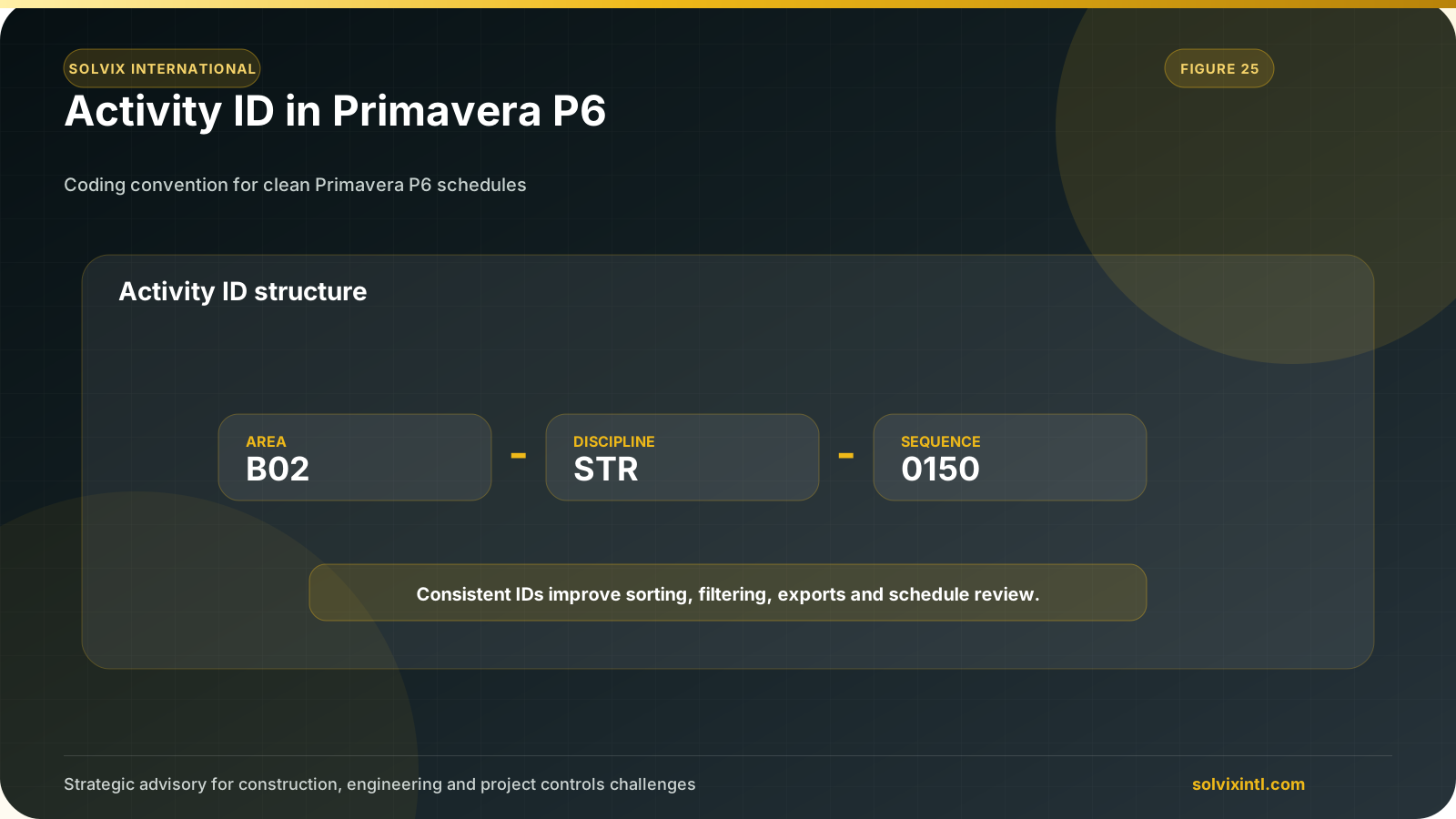
What is an Activity ID in Primavera P6?
The Activity ID is a unique code which is used to identify each activity on Primavera P6 using a combination of letters, numbers and special characters and it is widely used by project managers in organizing their sheets as it acts as the primary reference for each task in the project schedule.
Purpose of Activity IDs in Project Scheduling
The Activity ID reflects important details about the task, such as the activity hierarchy within the project timeline which allows project managers to organize and group tasks in a logical sequence which makes tracking project progress easier over the whole life-cycle of the project also, they allow the whole team working in the project to filter, locate specific tasks easily which support clear and focused reporting for all the team working on the project.
Reasons for Changing Activity IDs
Project Reorganization: Tasks reorder may happen when the project the scope changes over time or the project phases change which will acquire updating the Activity IDs to ensure that the new numbering maintains the logical sequence which is needed.
Correction of Errors: Activity IDs which are Inaccurate or inconsistent can lead to confusion especially in mega projects as there are thousands of activities so, adjusting IDs for errors or adopting standardized formats as they improve clarity and reduce the risk of mistakes in scheduling and reporting.
Integration with Other Systems: when Primavera is integrated with other project management systems it’s Preferred to standardize Activity IDs across platforms to ensure compatibility as aligned IDs facilitate smooth data exchange between systems which helps in accurate reporting so try to use ERP systems or standardized client formats.
Methods to Change Activities IDs
Manually Updating the Activities IDs
Open the project in Primavera P6.
Navigate into the Activities.
Locate the Activities IDs you want to change.
press on the Activity ID field.
Edit the IDs manually then press Enter.
After pressing Enter the ID will be changed and saved.
Using Renumber Activity IDs Tool in Primavera
Open your project in Primavera P6.
Go to Edit then to Renumber Activity IDs.
Select the range of Activities you want to edit or the entire project.
Define the renumbering rules (prefix, suffix and increment value).
Apply the renumbering changes.
Update Activities IDs Using Global Change
Open Enterprise then User Defined Field.
Add new user Defined Field.
Make the title “New activity ID” and the data type is text
Open View then Columns
From Columns show New Activity ID
Export the File to Excel Spreadsheet.
Then, choose the Export Type “Activities”
Finally, choose which Project to Export.
Add the new Activity IDs based on logical sequence in the exported excel file.
Import the excel file to the primavera file again.
Then, we need to change the new Activity ID to be the basic ID for the activity using Global Change.
Go to Tools > Global Change.
Select new to add new global
Make the Activity ID = New Activity ID
Then apply changes
Those are the final IDs after modifications.
After all of this you also need to know,
Why Uniqueness is Important
The Activities IDs must be unique across the project to prevent confusion and errors as duplicated IDs can Cause discrepancies in project reports which Lead to issues while exporting data and integrating with external systems which make tracking and updating specific activities more difficult.
Structured ID Formats: Use a combination of prefixes, numbers, and suffixes to distinguish activities based on project phases, sections and work packages.
Automated Renumbering Utilize Primavera features like Renumbering Activity IDs and Global Change tool to apply systematic numbering.
Team Collaboration: Standardize the Identification System in the team to prevent any accidental duplications.
Regular Review: Always review and double check all activity IDs while project is ongoing especially if updated or schedule revisions occur to ensure consistency and accuracy.
The Best Practices for Managing Activity IDs
Consistent Naming: use a clear structure and uniform style and length for entire project IDs by using prefixes for phases or sections, such as “Ew-Exc” that represents excavation activity under earthworks section.
Regular Review: review Activity IDs from time to time to ensure they remain aligned with the project phases and scope changes.
Documentation:Try to maintain a tracker for updates to the Activities IDs which includes the reasons and approvals also, share the updates with all stakeholders to keep the transparency in work.
Need support with this topic?
Solvix provides Primavera P6 activity ID structuring and schedule coding services

ramez.megahed.sci@gmail.com
Head of Architecture & DesignHead of Architecture & Design with over a decade of experience leading large-scale real estate and construction projects. Known for his strategic mindset and leadership excellence, he has successfully driven high-value developments from concept to completion while ensuring operational efficiency and long-term growth.