



































- June 29, 2026
- Uncategorized
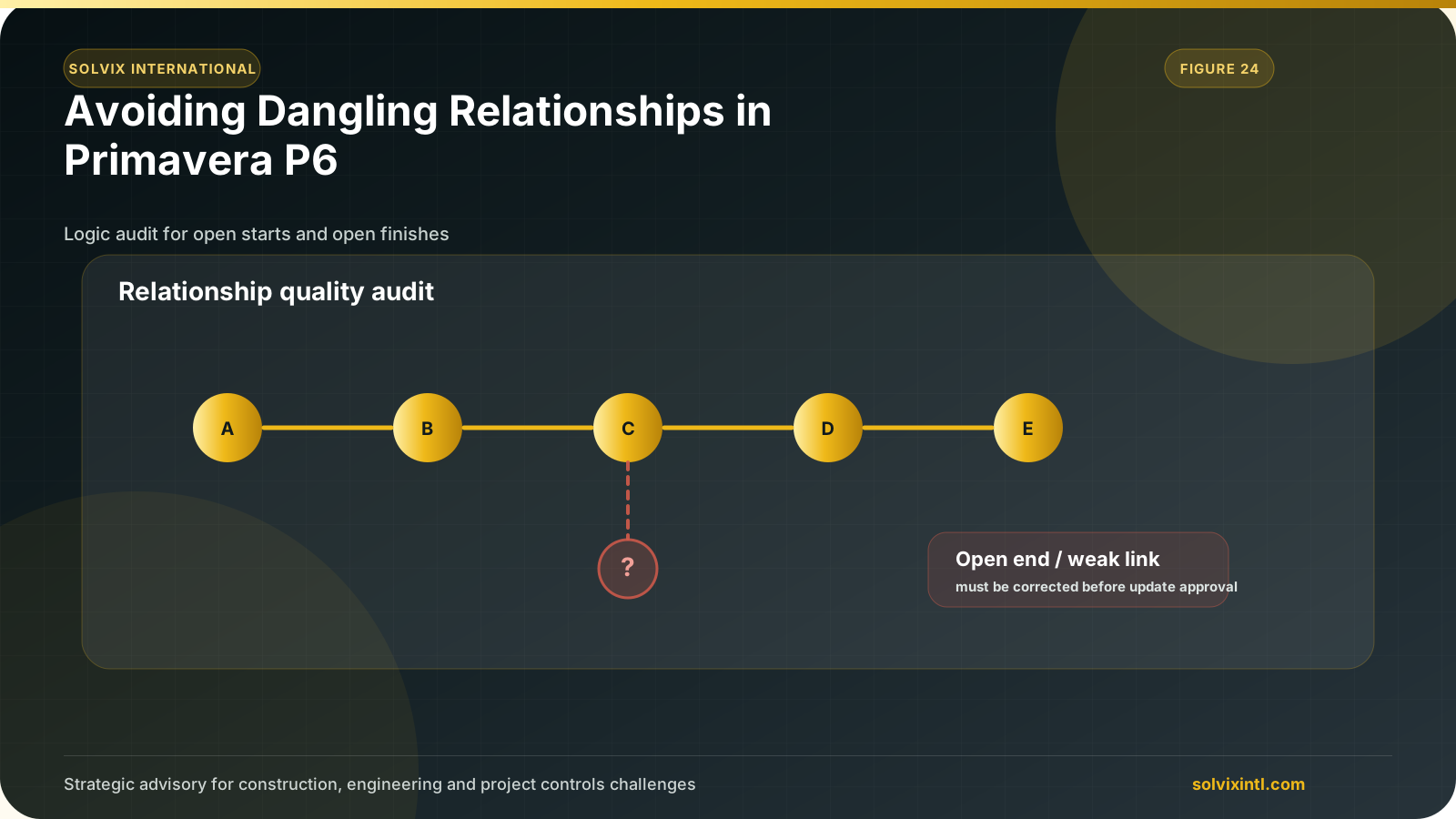
Primavera P6 is a strong tool that is used to manage the projects along with planning and controlling the complex tasks of a project having a goal of facilitating management. It gives assistance to managers of projects to find the needed resources, track the progress of project, and make sure that the completion of project is on time and within the given budget of the project. Nevertheless, like any program, it has many issues. One of the main issues is the dangling relationships. Dangling relationships in primavera happens when the activities of a project are not linked properly to their either successor or predecessor.
What Are Dangling Relationships in Primavera P6?
Dangling relationships is whenever an activity in the schedule of a project has a missing logical link to the other activities, whether a predecessor or a successor. Predecessor activities are the activities that must be completed before the activity starts, while successor activities are the activities that can not start until it is finished. If there is no link between the activity and the predecessor or a successor activity, it is called a dangling activity.
Example of a Dangling Relationship
Figure (1) shows an example of dangling relationships, where activity 5 has no successor and activity 8, 13,18, and 23 have no linked predecessor.
Figure: dangling relationships example
Common Causes of Dangling Relationships
many issues can lead to having dangling relationships in our project’s activities in Primavera P6 and they include:
Invalid Relationships
When a project manager creates a not appropriate logical link. For example: when there is a relation between 2 activities, Finish-to-Finish (FF), managers can sometimes link the finish of an activity to the others without a predecessor relationship. As shown in Figure (2), activity C is left without a predecessor but it has a Finish-to-Finish relationship with activity A. This creates a dangling relationship that disrupts the flow of schedule.
Figure
Missing successor or a predecessor
When an activity is not assigned a predecessor or a successor link, activities are isolated from other activities and they do not work together to the overall project plan. This may happen as a result of adding new activities to the project without a full check on their relationships with each other.
Deleted activities
When a planner decides to delete an activity that is linked to other activities, it may lead to causing a dangling relationship. For instance, what happens when we delete Activity C shown in figure (3)?
Figure
After deleting it from the schedule, there will be a dangling activity without a successor such as “Activity C” in our example, as shown in figure (4).
Impact of Dangling Relationships on the Project Schedule
Effect on the critical path
Dangling relationships, if available, can misrepresent the critical path of projects. The longest path of activities is the critical path, where the activities on it are dependent on each other and any delay in them will cause delay for the whole project. If a dangling relationship exists, the critical activities on the path can be misrepresented and distorted, which may lead to delay to the project schedule.
Implications on project duration & resource allocation
Dangling relationships cause inaccuracies in project’s schedule, which leads to false or inaccurate project durations. so, resources would be either unused or would require emergency changes and that would cause resources inefficiencies and project delays, affecting the project’s overall success.
- Implications for Project Stakeholders
Stakeholders can get confused when trying to understand the project’s timeline and schedule if they include dangling relationships. It makes it harder and more complex to understand and follow the schedule of activities of the project.
How to Identify Dangling Relationships in Primavera P6
Identifying dangling relationships can be by using Filters & Tools
Steps:
- Open Primavera P6 and open your project’s schedule.
- Choose toolbar, open tools then create a filter and start making the following commands, for activities that have a dangling start, as shown in figure (5).
- Click on “OK” to see the filtered activities having a dangling start.
Likewise, for finding relationships that have a dangling finish, you should open tools then filter and create a filter that have the following commands as shown in figure (6):
Examples of Common Errors that leads to dangling relationships
- Activities that are linked to deleted tasks can get dangled.
- Activities that don’t follow any logical order and doesn’t have any logical link.
- Activities without any logical links to the other activities.
Practices to Avoid Dangling Relationships
Project managers can use the following practices to avoid having dangling relationships in their schedule of activities:
Proper use of the logical links
Use the finish to start relationship as a default for the activities whenever it is possible. It is a straight forward and easy logic that is so simple and minimizes the error and risk of having any dangling relationships.
Review the relationships regularly from time to time
Routine checks of the relationships of activities should be conducted on a weekly basis or a short time period to avoid having a dangling relation before reaching an important and main project milestone and to catch the errors early to avoid repeating the work.
Integrate quality checks into the scheduling process
Build in regular quality checks in the whole scheduling and project control process to ensure that are the activity relations are valid through the lifetime of the project.
Advanced Techniques for Managing Dangling Relationships
Training and recognition for the planning engineers:
Training and educating the available planning engineers in the company about how to find and control the available dangling relationships in a schedule can significantly minimize the occurrence of a dangling activity. Training would improve their skills which will lead to schedules with less errors and less project delays.
Automating Checks Using Scripts
Detection of dangling activities can be automated by the scripts or the global changes in Primavera P6. This can ease the identification along with reducing the manual error.
Practical Solutions to Correct Dangling Relationships
- Correcting invalid or inaccurate relationships:
- Open the activity details for the defected activity.
- Check and change the relationships to ensure the logical links between them.
- Handling the dangling activities caused by deleted activities
When deleting an activity, estimate the impacts that happened on the other activities and establish any necessary links to ensure the logical flow in the schedule.
- Tools and filters in Primavera P6
- Use tools and filters already available in Primavera P6 to facilitate the correction process.
Need support with this topic?
Solvix provides Primavera P6 schedule logic review and dangling relationship correction services

ramez.megahed.sci@gmail.com
Head of Architecture & DesignHead of Architecture & Design with over a decade of experience leading large-scale real estate and construction projects. Known for his strategic mindset and leadership excellence, he has successfully driven high-value developments from concept to completion while ensuring operational efficiency and long-term growth.