
































- June 29, 2026
- Uncategorized
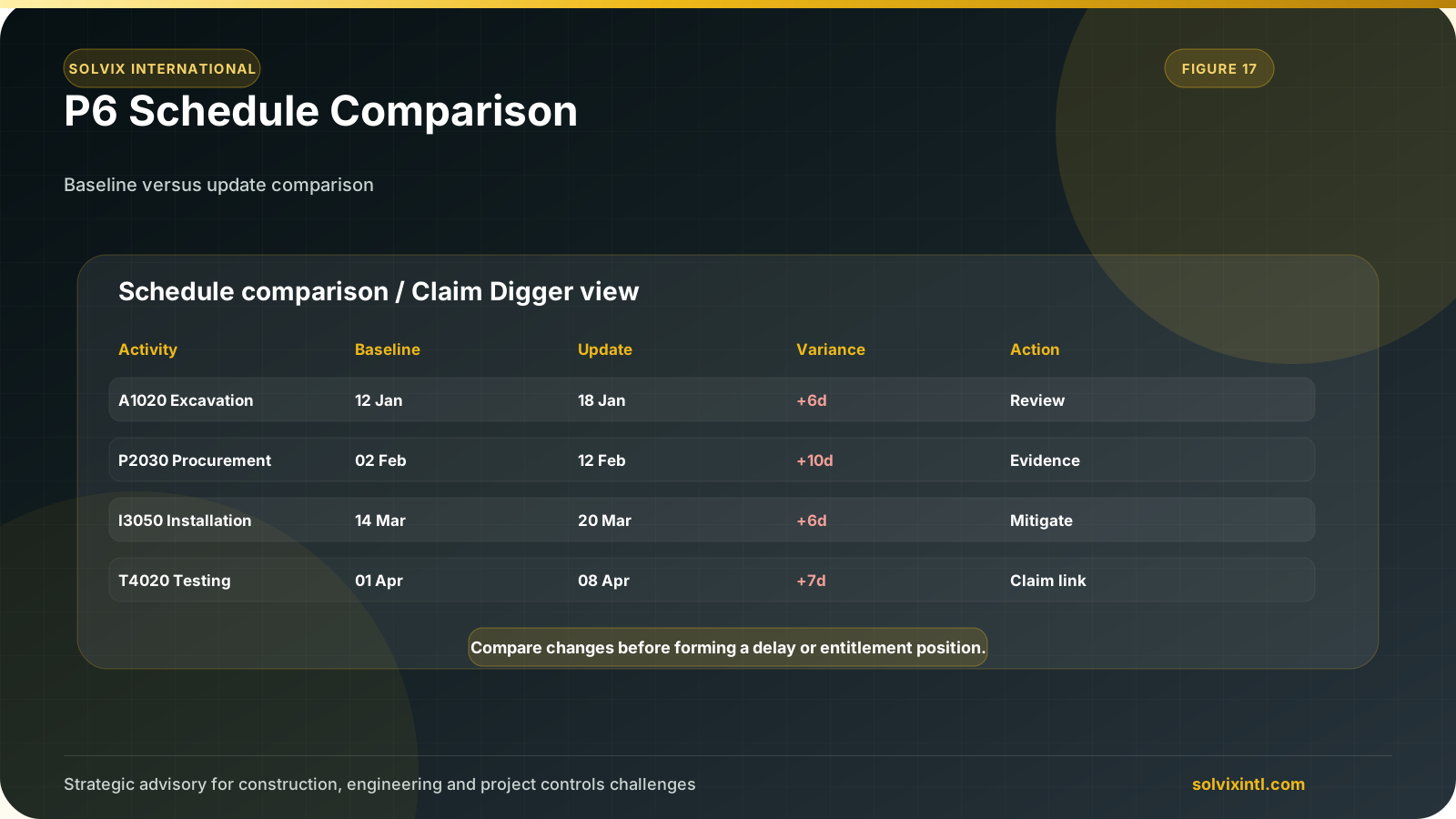
Baseline vs. Revised Schedule Analysis: This is the most common use case. When your project deviates from the initial plan captured in the baseline schedule, Claim Digger helps you pinpoint exactly how the revised or Updated schedule differs. You can see changes in durations, dates, float types, resource assignments, and more. This information is crucial for:
Understanding Delays: Identify the activities that have been impacted and by how much.
Justifying Claims: If delays are caused by external factors, Claim Digger’s report provides evidence to support claims for additional time or resources.
Version Control Analysis: Throughout a project’s lifecycle, the schedule inevitably undergoes revisions. Claim Digger allows you to compare different iterations of the same schedule, providing insights into:
Project Evolution: Track how the project plan has changed over time, understanding the rationale behind modifications.
.
• To explain delays, justify resource requests, manage expectations, and ensure everyone is aligned, you can describe in simple terms the effect of adjustments or progress to stakeholders; transparency encourages open communication that fosters trust and collaboration.
• Schedule Comparison points out where bottlenecks are occurring which may indicate various forms of delays or conflicts over resources. This means that if those bottlenecks are identified upfront, then corrective measures such as leveling of resources and resequencing tasks can be implemented to put the project on track towards delivery within time constraints with lesser impact on overall timeline.
• P6 Schedule comparison aids risk identification at initial stages. As a result, you will employ strategies of risk mitigation through reviewing trends in changes. This ensures problems are solved beforehand and a more controlled response to challenges.
Primavera P6
1- To compare project schedules, use the Schedule Comparison tool found within the Tools menu of Primavera P6.
.
- 2- you need to put a name for the Schedule and Click on Options to go to the next step
3- Firstly, choose from the first window the Revised Schedule or the updated one with some differences from the baseline. Then click Add Button
4-Go to General, Choose the report format (HTML or CSV) HTML Report, Compare two projects’ schedules HTML Report
Then choose where to save the file.
5- In the Advanced tab, choose the data points you want to compare. This can include:
Activities
Durations
Float types (Free Float, Total Float)
Relationships
Constraints
Resources assigned.
6- Then Save & Draw.
This is the type of HTML Type of Reports will appear You will see the changes in the Revised Schedule than the Baseline Schedule
Beyond Baseline Comparisons: Exposing Synergies Across Projects
P6 Schedule Comparison’s power transcends baseline comparisons; its functionalities allow you to analyze two separate project schedules with potential for multiple projects having been established. Some of the things that can be done to make the most out of this feature include:
Resource Allocation Optimization: Resources may be used differently in various projects causing them to overlap or be over utilized. As such, better resource allocation is facilitated thus ensuring that major tasks are allocated enough workers as well as avoiding a situation where one project has too many resources.
Determining Scheduling Conflicts: Integration of subprojects into a larger expert schedule may result in scheduling conflicts. This early recognition by P6 Schedule Comparison helps identify these conflicts so that the schedules in the smaller projects can be changed to provide a smooth flow across all and avoid delays on the main project.
Benchmarking Project Approaches: Review timelines of similar past projects in order
Need support with this topic?
Solvix provides P6 schedule comparison, baseline review and change tracking services

ramez.megahed.sci@gmail.com
Head of Architecture & DesignHead of Architecture & Design with over a decade of experience leading large-scale real estate and construction projects. Known for his strategic mindset and leadership excellence, he has successfully driven high-value developments from concept to completion while ensuring operational efficiency and long-term growth.