
































- June 29, 2026
- Uncategorized
For project scheduling, it is the most challenging part to control timelines and ensure that the projects are delivered within specified time. Primavera P6 is actually a top project management software, and it really allows the project team to determine when they are on track. Float is one of the most important calculations in CPM software as it tells how much schedule flexibility exists. A negative float is an indicator pointing at something that is wrong in the project plan and the project’s deadline will not be made. So, in this article we explain the negative float in Primavera P6 and its causes, impacts and how to manage it.
Definition of Float
Before going through a negative total float, we need to know what float means. Float or slack is the amount of time an activity can be delayed before it causes delays to other activity or overall project duration.
There are two types of floats, first one is “Total Float”, and it is defined as number of days an activity can be delayed without causing any delay in project duration, second one is “Free Float” refers to number of days an activity can be pushed without changing start date of subsequent activities.
What’s Negative Total Float
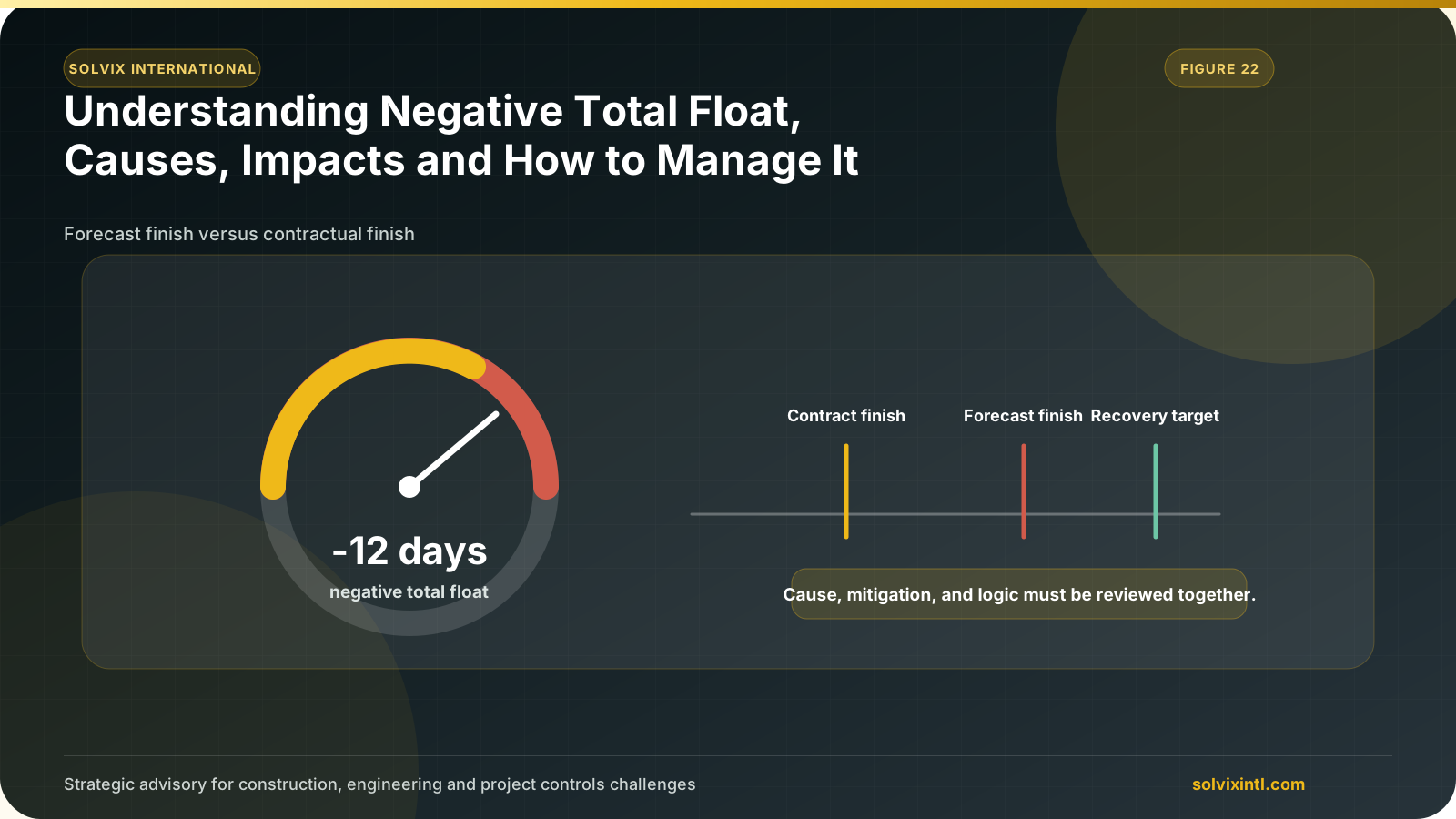
Negative total float is when an activity finish date is set after a project’s completion date which means that it will cause delaying of overall project required completion date. Negative float shows in primavera as a negative value indicating that one or more activity has an issue that needs resolution.
Common Causes of Negative Float in Primavera P6
There are multiple factors that can cause negative total float to appear in your project schedule such as:
Project Constraints
Primavera P6 gives you the option to apply constraints such as “Mandatory Finish” or “Finish on or before” on activities, but if these constraints are incorrectly applied, they could cause an unrealistic timeline which leads to negative total float.
Resources Constraints
When resources are overallocated we usually use resource leveling to deal with this issue, however resource leveling could increase duration of activities beyond completion date and cause total negative float.
Improper Relationships Between Activities
Incorrect or unrealistic dependencies between activities may cause negative total float. For instance, if two activities are constrained by finish to start relationship while start to start relationship could be applied, it could limit the flexibility of the project leading to total negative float.
Calendar Mismatch
Each activity in primavera is assigned with a calendar, usually it’s one calendar for entire project but if there are two calendars and they are inconsistent with each other or even mismatch between project’s calendar and any activity’s calendar such as one with fewer working days that could cause total negative float to show in your project.
Out of Sequence Activities
Out of sequence activities are the activities that are being performed out of logical planned order like being starting earlier or later than planned. When this happens, it may cause delays on critical paths leading to negative total float.
Changing Scope without Schedule Adjustments
Sometimes scope gets expanded along the way while the project is already in progress, if this happens and no adjustments were made to accommodate these changes, it could push the project beyond completion date resulting in total negative float.
Impacts of Negative Total Float
In project management, a negative float serves as a warning that the project or certain activities are not going to meet its critical deadlines. There are many impacts of negative total float some of them are:
Project completion delays
As previously discussed, negative float indicates that there is one or more activity that could not meet project completion date, which indicates potential delays that could lead to making the project behind schedule.
Costs overrun
Project delays result in extended use of resources such as labor wages and equipment rentals, also as a result of delays contractual penalties may be applied. All these costs are added to the project’s budget leading to budget overruns.
Client and Stakeholder Expectations (Reputation Damage)
Failure to meet project’s completion date client is expecting can affect your company reputation, lose future opportunities, and cause client disappointment so you have to make sure to manage them and surely avoid any delays in any deliverables of the project.
Negative float is a great indicator that a project is on the path to having such problems, it is an early warning to take corrective actions and avoid any losses.
Steps to Fix Negative Float
Taking actions to manage and resolve this negative float is an important step in schedule analysis. Below are the few ways to mitigate negative float
Periodic scheduling monitoring and controlling regular monitoring of projects is required to avoid negative float accumulation.
Adjusting Constraints: Review constraints that are causing negative floats and change them to resolve the issue.
Reviewing Relationships and Dependencies: activity relationships should be re-evaluated to make sure they are realistic.
Correcting Calendars: Ensuring that activity and project calendars are consistent.
Re-Evaluating Activity Durations: reviewing and editing each activity duration based on realistic time frames.
Adjusting resources allocation: if the negative float is due to resources allocation, managing or increasing resources will solve the negative float issue.
Tools and Techniques in Primavera P6 to Manage Float
Schedule Log Review: When running a schedule, you can view the schedule log where it identifies issues in the project under the warnings section. You could use this log to analyze issues that lead to negative float.
Filtering Negative Float Activities: You can use filters to show activities with negative float to be able to deal with each one of them separately.
Analyzing Critical Path: Use critical path filter to analyze and resolve negative float issues.
What-If Analysis: You can copy your project and create hypothetical scenarios on it where you can simulate delays or use different resource allocation and compare results of different scenarios to identify the best approach to keep a positive float.
Need support with this topic?
Solvix provides negative float analysis and schedule recovery support services

ramez.megahed.sci@gmail.com
Head of Architecture & DesignHead of Architecture & Design with over a decade of experience leading large-scale real estate and construction projects. Known for his strategic mindset and leadership excellence, he has successfully driven high-value developments from concept to completion while ensuring operational efficiency and long-term growth.